Terrazzo Seamless Patterns Set in MOSS
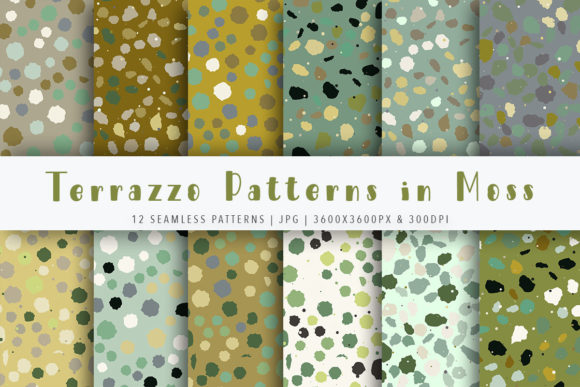
When you’re building visual assets for a brand refresh, designing product packaging, or preparing print-ready materials for a client, consistency and quality are non-negotiable. The Terrazzo Seamless Patterns Set in MOSS meets that need precisely: it’s a curated, production-ready collection of 12 abstract terrazzo textures—designed not as decorative afterthoughts, but as functional, scalable elements you integrate early and rely on throughout your workflow.
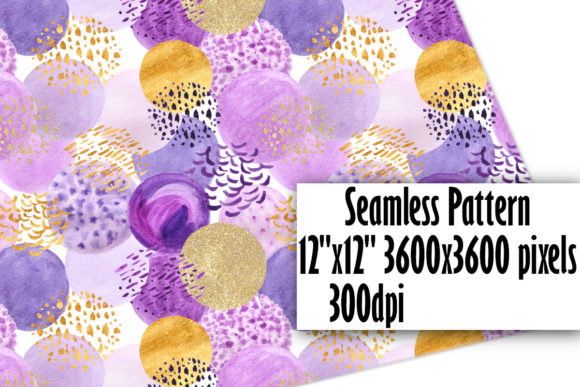
This isn’t just another pattern pack dropped into a folder and forgotten. These patterns were built with real-world implementation in mind—starting with technical precision. Each of the 12 seamless patterns ships at 3600×3600 pixels, 300 DPI, in high-fidelity JPG format. That resolution ensures crisp output whether you’re printing greeting cards at home, sending files to a commercial printer, or exporting poster-sized assets for retail displays. No upscaling, no pixelation, no last-minute compromises.
How It Fits Into Your Creative Process
Most designers treat patterns as a final-layer decision—something added once layout, typography, and color are locked in. With the Terrazzo Seamless Patterns Set in MOSS, you can shift that timing. Because all 12 patterns tile perfectly without visible seams, they work reliably as background layers, base textures for mockups, or even structural grids beneath layered design elements. You can apply them early in your process—not as decoration, but as a foundational texture that informs contrast, spacing, and visual hierarchy.
For example, if you’re developing a set of branded stationery, applying one of these terrazzo patterns to your business card template before finalizing font sizes or margins helps you assess legibility against subtle texture variation. Similarly, when designing digital assets like social media banners or email headers, using a terrazzo pattern as a background layer during wireframing reveals how much breathing room your text needs—and whether overlays (logos, CTAs) remain visually anchored.
Integration Across Tools and Platforms
The delivery includes both JPG files and a Photoshop .PAT file containing all 12 patterns. That dual-format approach supports two distinct usage paths:
- JPG files work universally—you can drag them into Canva, Affinity Designer, Figma (via image fill), Illustrator (as pattern swatches after defining), or even PowerPoint for presentation decks. They’re especially useful when collaborating with non-designers who may not have access to Photoshop or advanced software.
- The .PAT file is optimized for Photoshop users who want speed and fidelity. Once loaded, each pattern appears in the Pattern Overlay and Fill dialogs—no manual tiling, no alignment tweaks. You can scale, rotate, or blend them non-destructively, making rapid iteration across multiple layouts efficient and consistent.
This compatibility means the Terrazzo Seamless Patterns Set in MOSS doesn’t lock you into a single toolchain. You’re free to start in Figma for collaborative wireframing, move to Photoshop for final texture refinement, then export assets for print or web—all while maintaining identical visual language across stages.
Practical Implementation Tips
Here’s what works well in practice—based on how professional designers, small business owners, and educators actually use this set:
- Organize by tone, not just appearance. Don’t sort patterns alphabetically or by filename. Group them by visual weight: light-textured variants (subtle flecks, soft contrast) for delicate applications like wedding invites; medium-contrast options for product labels or blog headers; bold, high-variation patterns for posters or merch where impact matters more than subtlety.
- Test at actual size before committing. A pattern that looks balanced on-screen at 25% zoom may overwhelm at full scale. Before locking in a pattern for a 24×36" poster, place it at 100% in your document and step back—or preview on a calibrated monitor. The 3600×3600px resolution gives you enough real estate to assess how the texture behaves across large surfaces.
- Use blending modes intentionally. In Photoshop or Figma, try overlaying a terrazzo pattern with a solid color layer set to Multiply or Soft Light. This creates depth without obscuring underlying content—ideal for branded slide decks where you need readable text over textured backgrounds.
- Preserve flexibility with layer naming. When using the .PAT file in Photoshop, name your pattern-fill layers clearly (e.g., “Terrazzo-MOSS-07-Soft-Overlay”) rather than generic terms like “Background.” That makes version control, client feedback rounds, and future edits faster and less error-prone.
Long-Term Usability and Workflow Efficiency
Because these patterns are delivered in a single ZIP file, initial setup is streamlined—but long-term usability depends on how you manage them. We recommend extracting the ZIP once into a dedicated, version-controlled asset library (e.g., a local “Patterns/Terrazzo/MOSS” folder synced via Dropbox or OneDrive). Avoid embedding pattern files directly into project folders unless necessary—this keeps updates centralized and prevents duplication across dozens of projects.
Also consider how these patterns interact with your existing brand system. If your palette includes specific CMYK or Pantone values, test how the terrazzo textures render under those constraints—especially when printing on uncoated stock, where ink absorption can mute fleck contrast. The MOSS collection was designed with muted, earth-adjacent tones, so it holds up well across print substrates, but always verify with a physical proof when possible.
Where It Fits Beyond Design Projects
The utility extends beyond traditional graphic design. Educators use these patterns to create visually engaging handouts and classroom posters that feel cohesive but never monotonous. Freelance writers and bloggers embed them in Canva-designed Pinterest pins or newsletter headers to reinforce visual identity without needing custom illustration. Small business owners building Shopify stores apply them as subtle background textures behind product images—adding tactile warmth without competing with the item itself.
Even in planning contexts—like organizing a workshop or mapping a content calendar—the patterns serve as low-stakes visual anchors. Printing one on cardstock and using it as a physical mood board surface helps teams stay grounded in aesthetic direction during brainstorming sessions. It’s a small detail, but it signals intentionality—not just about how something looks, but how it supports clarity, focus, and shared understanding.
Technical Notes for Smooth Use
A few practical considerations to avoid friction:
- Windows users should extract the ZIP using 7-Zip rather than the default Windows extractor. It handles nested archives and special characters in filenames more reliably—especially important if you plan to rename or reorganize files later.
- The JPGs are RGB, not CMYK. Convert only when prepping for offset print, and do so after all other edits are complete to preserve color fidelity.
- None of the patterns include transparency. If you need transparent overlays, open the JPG in Photoshop, convert to Smart Object, and apply a layer mask—don’t try to delete background pixels manually.
Finally, keep an eye on the related listings. The Terrazzo Seamless Patterns Set in MOSS is part of a larger, coordinated system—other volumes expand the palette, introduce complementary geometries, or offer scaled-down versions optimized for web UI. Treating them as modular components—not isolated downloads—lets you build a flexible, extensible visual library over time.
That’s the real value: not just 12 patterns, but a repeatable, reliable method for introducing texture with purpose—across tools, timelines, and team roles.