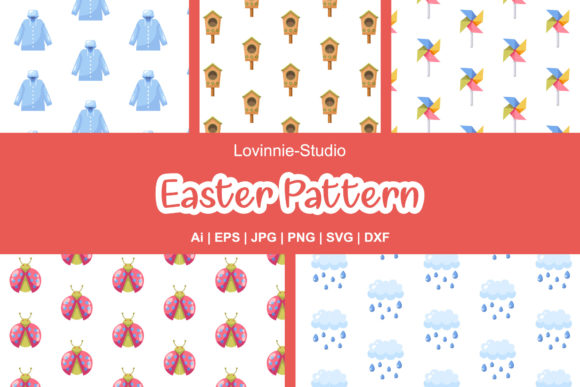
Easter Patterns: Versatile Digital Assets for Creative Professionals and Educators
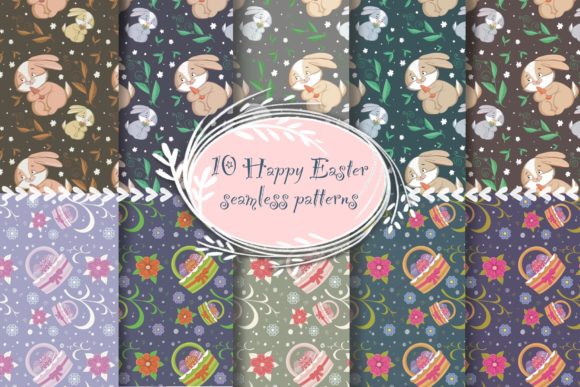
Easter Patterns are more than seasonal decorations—they’re flexible, production-ready design resources engineered for adaptability across disciplines. Whether you're a graphic designer preparing client deliverables, an educator crafting classroom materials, a small business owner updating seasonal signage, or a hobbyist personalizing home décor, these patterns offer consistent visual language rooted in Easter symbolism—bunnies, eggs, lilies, nests, spring florals, and pastel geometry—without relying on clichéd clipart aesthetics. What sets this collection apart is its intentional technical foundation: each pattern is delivered in six interoperable file formats, enabling seamless integration into diverse creative workflows.
Why File Format Diversity Matters in Real-World Projects
In practice, format limitations often derail timelines. A teacher designing a printable Easter activity sheet needs crisp raster assets for PDF handouts; a sign shop cutting vinyl decals requires precise vector paths; a web developer embedding animated backgrounds needs transparent PNGs with alpha channels. This Easter Patterns collection anticipates those divergent needs—not as afterthoughts, but as core specifications.
- AI (Adobe Illustrator): Ideal for designers who need full layer control, editable swatches, and non-destructive effects. You can recolor entire pattern repeats with one global swatch change—or isolate individual motifs to modify stroke weight, opacity, or blending mode.
- EPS: Ensures backward compatibility with legacy print workflows and older versions of CorelDRAW or InDesign. Still widely accepted by commercial printers for large-format banners or packaging proofs.
- SVG: The standard for responsive web use. Embed directly into HTML, scale infinitely without pixelation, and apply CSS animations—like gently pulsing egg outlines or fading-in floral accents on an educational site’s landing page.
- DXF: Critical for makers using CNC routers, laser cutters, or embroidery machines. Unlike raster files, DXF preserves clean vector outlines usable by CAM software—enabling precise etching on wooden Easter baskets or stitching on fabric banners.
- JPG: Optimized for high-fidelity previews, email attachments, or social media posts where transparency isn’t needed. Maintains sharp detail at 1920 × 1280 px—a resolution that comfortably scales down for Instagram carousels or up for printed posters.
- PNG: Delivers the same 1920 × 1280 px canvas size with full alpha transparency. Essential for overlaying patterns onto photos (e.g., adding subtle egg motifs to a school newsletter header) or building layered digital scrapbook kits.
This multi-format approach eliminates the friction of converting files mid-project—a common source of quality loss, licensing ambiguity, or workflow interruption. It reflects how modern creators actually work: fluidly moving between platforms, audiences, and output mediums.
Practical Applications Across Professions
The utility of Easter Patterns extends far beyond greeting cards or party invitations. Its value emerges when matched to real professional constraints and opportunities.
Educators and Curriculum Designers
Classroom teachers use these patterns to build visually cohesive learning materials without sacrificing instructional time. A science unit on life cycles might feature a repeating motif of hatching chicks overlaid on worksheets—PNG format allows quick drag-and-drop into Google Slides or Canva. For tactile learners, SVG files import cleanly into Cricut Design Space, letting students cut out patterned egg shapes for life cycle sequencing activities. The consistent 1920 × 1280 px canvas also ensures pattern tiles align predictably when tiled across large bulletin board backdrops—no manual resizing or seam correction required.
Small Business Owners and Local Retailers
Seasonal retail demands speed and brand alignment. A bakery launching an Easter cupcake line can use the EPS file to drop a subtle egg-and-lily border around custom packaging labels in Adobe InDesign—then export the same asset as SVG for their Shopify product page banner. Because all formats share identical proportions and motif density, the visual rhythm remains unified whether viewed on a physical bag or a mobile screen. No reworking, no mismatched scaling.
Hobbyists and Makers
For crafters working with heat-transfer vinyl or sublimation printing, the DXF format provides machine-ready outlines. One user reported adapting the bunny motif from the set into a layered wood-burning stencil—exporting individual elements from the AI file, adjusting spacing in Silhouette Studio, then burning the result onto reclaimed pine boards for Easter centerpieces. That level of granular control wouldn’t be possible with flattened JPGs or low-res web graphics.
Marketing Teams and Content Creators
Digital marketers appreciate how these patterns reduce dependency on stock imagery. Instead of licensing generic Easter photos, teams embed SVG patterns as CSS background images behind hero text—creating branded, on-message visuals that load instantly and adapt to dark-mode interfaces. The uniform canvas size also simplifies A/B testing: swapping one PNG pattern for another in Mailchimp templates takes seconds, not hours.
Technical Considerations for Long-Term Usability
While accessibility and aesthetics matter, longevity hinges on underlying technical integrity. These Easter Patterns were constructed with scalability and editability as non-negotiable criteria:
- No embedded raster effects: Shadows, glows, or textures are built using vector-native tools—ensuring crisp rendering at any size, from business card borders to 10-foot trade show backdrops.
- Consistent tile alignment: Each pattern repeat is mathematically calculated to avoid visible seams when tiled—critical for fabric printing, wallpaper mockups, or website backgrounds.
- Optimized color palettes: Designed in CMYK-safe and sRGB-aligned colors, minimizing shifts between screen and print. Pastel tones use sufficient saturation to remain legible on uncoated paper stocks.
- Modular motif structure: Core elements (e.g., single eggs, sprigs of lavender, woven nests) exist as discrete, grouped objects—making it trivial to extract, recolor, or reposition components without disrupting the overall repeat.
This attention to construction means users aren’t just downloading decoration—they’re acquiring editable design systems. A university communications team reused the floral lattice pattern as a base for their entire spring commencement campaign, swapping out Easter-specific icons for graduation caps and diplomas—all within the original AI file.
How Easter Patterns Support Inclusive and Adaptive Design
Design ethics extend beyond aesthetics. These patterns support accessibility through intentional flexibility. Educators modifying materials for students with visual processing differences can increase motif contrast using the AI file’s recolor tools—boosting luminance difference between pastel eggs and background without distorting proportions. Similarly, SVG’s native support for ARIA attributes allows developers to add semantic descriptions (“repeating pattern of blue eggs and green stems”) for screen readers—something impossible with static JPGs.
For multilingual classrooms, the absence of text-based Easter Patterns avoids translation overhead. A Spanish immersion teacher used the same bunny-and-carrot motif across bilingual worksheets—simply changing supporting text while retaining the visual anchor. That universality makes Easter Patterns especially valuable in globally distributed teams or international curriculum projects.
Workflow Integration Without Disruption
Adopting new assets shouldn’t require overhauling existing processes. These Easter Patterns integrate natively:
- In Figma, drag the SVG directly onto the canvas—auto-converts to vector layers with editable strokes.
- In Photoshop, place the PNG as a smart object to retain transparency and enable non-destructive filters.
- In Blender or Maya, import the DXF as a curve path for extruding 3D Easter-themed signage.
- In Microsoft PowerPoint, insert the JPG or PNG and use “Set Transparent Color” to remove unwanted backgrounds before animating elements.
Because every format shares the exact 1920 × 1280 px canvas dimensions, switching between them preserves layout integrity. A marketing manager designing a LinkedIn carousel doesn’t need to resize assets when moving from desktop preview (JPG) to mobile thumbnail (PNG)—the proportions stay identical.
Looking Beyond the Season
While rooted in Easter themes, the structural logic of these patterns supports broader creative reuse. Designers have repurposed the geometric egg grid as a modular layout framework for portfolio websites. Others extracted the vine-like stems to create botanical borders for wedding stationery—proving that well-built seasonal assets often transcend their origin context. That versatility stems from deliberate abstraction: motifs suggest Easter without literalism, allowing reinterpretation across tone and audience.
Ultimately, Easter Patterns serve as infrastructure—not decoration. They answer the unspoken need for reliable, editable, cross-platform visual components that respect professional time, technical constraints, and pedagogical intention. When your priority is clarity, consistency, and creative control—not just seasonal charm—these patterns deliver substance alongside symbolism.